


ART UPLOAD: A link to upload your artwork is provided at the end of the Order Processing.
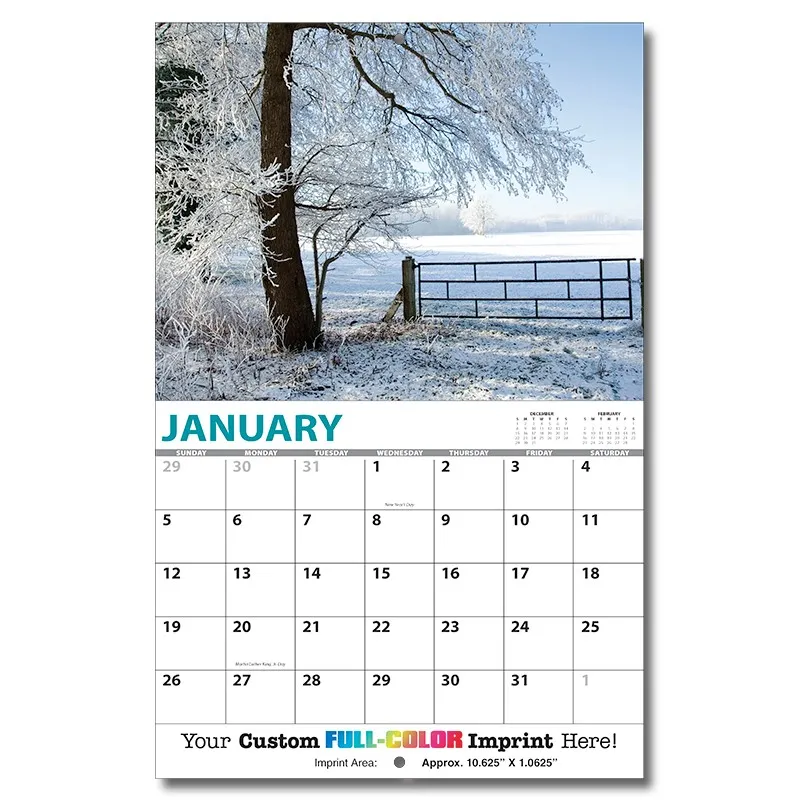
Scenic Views Promotional Mini Calendar
Pricing
-
 White
White
-
**NOTE :Unit Price Includes: Full Color Color imprint. Shipping & Handling Is Additional
-
Production Time :10-12 Business days Production Time may fluctuate based on work load and time of year.
-
-
White
Computer Video simulations displayed may not exactly match PANTONE-identified color standards. Use current PANTONE Color Publications for most accurate color.
-
-
Material :Cover : 8 pt C1S UV Coated, Pad : 80# Gloss Text
-
Imprint Method :Digital
-
Proofs :First proof via email free, additional proofs $10.00 each
Digital Press Proof $ 30.00
Production Proof $ 80.00 -
Packaging Options :Plain envelopes $ 0.15 each
Plain envelopes calendar inserted $ 0.27 each
Printed envelopes 0.24 each
Printed envelopes calendar inserted 0.36 each
Poly Bagging also available. -
Features :
- Premium Scenic Views Promotional Mini Calendar
- Category: Mini Wall Calendars
- Available for custom branding
- Request a sample today
-
Tags :
-
Shipping Info. :25 lbs. per 200
-
Product Description :
Scenic Views Promotional Mini Calendar. 13 Month Custom Photo Appointment Mini Wall Calendar - SCENIC VIEW . Create your own custom calendar using our stock SCENIC VIEW theme and personalizing the front cover, back cover and each calendar page with your custom imprint. Contact us with your design needs so we can assist you finalize the details of your calendar.
 Printed in USA
 Custom Color
 4-Color Process Print
 Ship to Canada
 Guaranteed Inventory
 Shipping
 Artwork
 Production Time
 Payment
-
Extra Production Charges :
-
How to Order :
Follow these simple steps to place your order online:Step 1: Select Quantity & Options
- Enter Quantity: Type your desired quantity into the box below the price grid (quantities in the price grid represent price breaks), ensuring you meet the minimum quantity shown unless otherwise noted.
- Choose Options: Select your desired item options using the dropdown fields specified on the page.
- Proceed: Click ADD TO CART to move to Step 2.
Step 2: Provide Order Details & Artwork
- Fill in Text Fields: Enter all information necessary to complete your order and use the communication fields for any special instructions.
- Upload Artwork:
- Files up to 10 MB can be uploaded at the end of the ordering process.
- For files larger than 10 MB, please use our dedicated ART UPLOAD page. Alternatively, you can email files to art@cuspro.net.
- Artwork Requirements: Art must be high-resolution (300 DPI or higher), sized at print dimensions or larger. Vector format is preferred. Note: Art charges may apply if files are low-resolution and require retouching or redrawing. Review our full ARTWORK GUIDELINES page.
- Review & Continue: Verify all information is correct, then click NEXT.
Step 3: Checkout & Finalize
- Cart & Login: Follow the prompts in the Shopping Cart. Returning customers can log in; new customers can quickly set up a profile.
- Complete Checkout: Enter your required shipping and billing information, then submit your order.
What Happens Next?
- Order Confirmation: You will receive an automated Order Confirmation email.
- Review & Sales Order: We will review your order details. Once verified, you will receive a formal Sales Order (including shipping and any applicable charges) for your final approval.
- Approval: Review the Sales Order, sign it, and return it to us so we can begin production.
PRODUCTION TIME: Most items ship in 10–12 business days after we receive your signed Sales Order and payment; some styles take 21–25 business days or longer. Contact us before ordering if you need your order by a specific date.